
Next.js vs WordPress for landing pages: which is faster?
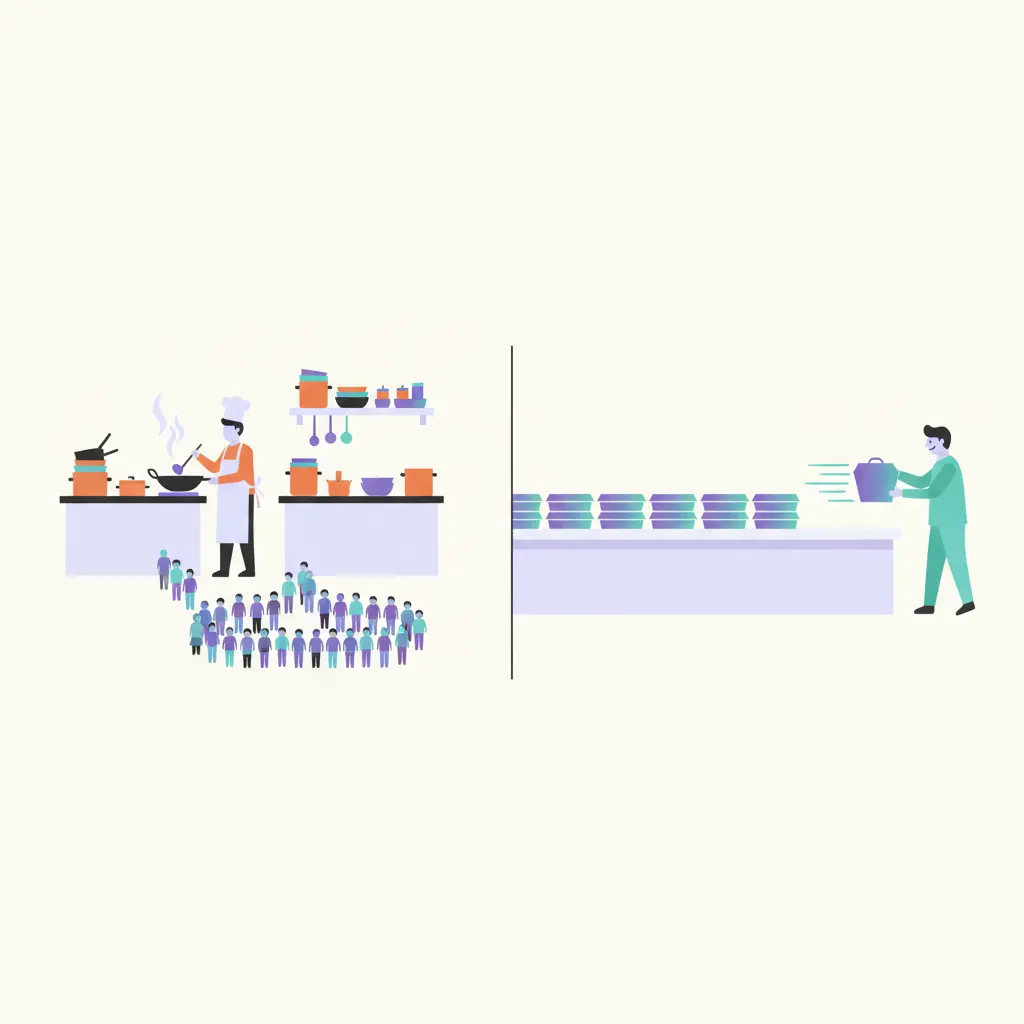
Ask around about getting a landing page built and two names keep coming up: WordPress and Next.js. One camp says WordPress is easier, the other says Next.js is faster, and hardly anyone explains what actually sets them apart. The real difference is surprisingly everyday: one cooks each dish when the customer orders; the other prepares everything in advance. Let me walk you through that picture, then compare the two honestly on four fronts — speed, security, upkeep cost, and editing your own content. WordPress wins one of them outright, and I won’t pretend otherwise.
WordPress: a kitchen that cooks to order
WordPress is the world’s most popular website builder — more than a third of all websites run on it. The way it serves visitors works like a made-to-order kitchen. When someone opens your page, the server starts “cooking” right then: it fetches ingredients from storage — your posts, photos and prices live in a database, essentially the pantry of your content; it runs through every plugin (bolt-on extras) to see what each one adds; then it assembles everything into the theme and only then hands the finished page over.
Cooking to order has real upsides: flexible, easy to change, happy to accommodate almost anything. The price is that every customer waits for the kitchen. One visitor, one round of cooking. A hundred visitors — say, the day your sale ad takes off — means a hundred rounds at once, and when the kitchen falls behind, the whole queue waits with it.
Static Next.js: boxed and ready on the shelf
Next.js is a modern web technology. It can work several ways, but for landing pages it’s typically used the static way: every page is built in advance into finished files, right when the site is made — like food prepared ahead of time, boxed, labeled and lined up on a shelf. A visitor walks in; you simply hand them a box. No cooking, no waiting; the hundredth visitor is served exactly as fast as the first.
Don’t let the word “static” make you picture a dead page. Buttons, order forms and scroll effects all work as usual — static only means the assembly happened ahead of time instead of on every view. When the content needs changing, though, a fresh batch of boxes has to be built and swapped onto the shelf — and that is the one genuine weakness of static pages, which I’ll get to in round four.
One side cooks when you order; the other hands you a ready-made box — to your visitor, the difference is a single word: waiting.
Round one — speed: static wins, clearly
A static page gives the server exactly one job: hand over a file that already exists. So the page appears almost instantly. The files also get copied to servers around the world — the trade calls this a CDN, but think of it as stocking your boxes in many warehouses close to customers: a visitor in Hanoi is served from Hanoi, a visitor in Saigon from Saigon, no long-haul shipping to wait for.
WordPress cooks on every view, and how fast depends on the kitchen: strong or weak hosting, few plugins or many. WordPress veterans will point at caching plugins — a cache is a holding shelf that keeps an already-cooked page so it can be re-served without cooking from scratch. True, and a well-tended WordPress site can run decently. But that’s one more plugin to pick correctly, configure correctly, and untangle when it clashes with another — you’re tuning the kitchen to be less slow, while a static page has no kitchen to slow down.
For a landing page, speed isn’t a technical nicety — it’s money. Every ad click is a click you paid for; visitors open the page on a phone, on patchy mobile data, and after a few seconds of waiting they scroll on — ad budget spent, no order in return. Slow sites have other culprits too, like heavy images and faraway hosting; I’ve written a separate post diagnosing each one, linked at the bottom of this page.
Round two — security: fewer doors to pick
Precisely because it’s so popular, WordPress gets probed the most: attackers run automated scanners that knock on thousands of WordPress sites day and night, feeling for an unlocked door. Every plugin you install is another door; fifteen plugins are fifteen doors, and one that hasn’t been updated in a while becomes the way in. That’s why keeping a WordPress site healthy means updating diligently — core, theme, plugins — as routinely as locking up every night.
I once fixed a spa’s website that had suddenly started bouncing visitors to a gambling site. The culprit: a plugin nobody had updated in two years. For small-business sites that story is common — who has time to log in every week and press update?
A static page offers almost nothing to attack: no database to raid, no admin login page exposed to the world, no plugins to fall out of date. It’s just files sitting still. Nothing online is perfectly safe, but a safe with no door is hard to crack — and you never have to remember an update schedule again.
Round three — upkeep: a static page costs almost nothing to keep
A WordPress site has to be fed: hosting strong enough to run both the kitchen and the pantry, billed every month; premium themes bought once; premium plugins billed yearly; plus someone’s hours for updates, backups and patches. Each item looks small, but a year of them adds up to real money.
A static page travels light: because the server only hands out files, services that specialize in static hosting offer free or near-free plans. Plenty of static landing pages cost nothing all year beyond the domain name. The upfront cost of building the page is a separate question — it depends on who you hire: yourself, a freelancer, or a team — and I’ve compared those three paths in another post, also at the bottom of the page.
Round four — editing your own content: WordPress wins this one
This is why WordPress got this popular, and it’s a fair reason. It ships with an admin panel: you write posts, change prices, swap photos, hang a promo banner — at midnight if you feel like it, no one to ask, nothing to pay.
A static page is the opposite: the content is sealed inside the boxes, and changing it means asking the team that built your site to prepare a new batch. Small edits are usually quick, but quick or not, you’re still messaging someone instead of typing it yourself.
The question worth asking: how many times a month will you actually edit? A sales landing page is usually built carefully once and left to run — a phone number here, a seasonal promo there. At that rhythm, requesting an edit every few months is no burden at all. But if you plan to publish daily — recipes, promo news, a homestay journal — that’s a different game, and it’s WordPress’s home turf.
So which one should you pick?
- Pick WordPress when content is the lifeblood of the site: a blog that posts constantly, a news section updated weekly, a team that wants to manage content without depending on anyone. Or when the starting budget is tight enough that you’d rather install a template yourself.
- Pick a static Next.js page when the page exists to sell: a landing page for a restaurant, a spa, a course — content that rarely changes, ads running, most visitors on phones. There, a page that shows up a beat faster keeps another slice of visitors around.
At Seawin Tech we build landing pages the static way, because on a sales page speed is money, while security and upkeep are where site owners get unpleasant surprises later. When clients need content changed, they message us and we rebuild it for them. And when a client is genuinely better served by WordPress, we say so in the very first consultation.